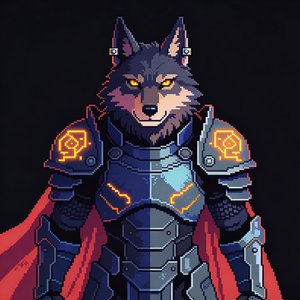
AI Avatars for Faceless YouTube Channels: Host Videos Without Showing Your Face
Run a faceless YouTube channel with an AI avatar host, pick a stylized character, sync it to your script or audio, and publish long-form videos without a camera.
Faceless channels are one of the fastest-growing formats on YouTube. Finance explainers, history storytelling, tech breakdowns, productivity content: all of it run by creators who never appear on camera. The traditional trade-off has been personality: stock footage and a voiceover work, but the channel has no face for viewers to connect with.
An AI avatar solves exactly that. Your channel gets a consistent host, a character viewers recognize in thumbnails and hear every episode, without you filming, lighting, or even owning a camera.
Why an avatar host beats pure voiceover
Channels built on b-roll plus voiceover compete on script alone. Adding a host changes three things:
- Recognition. A consistent character makes thumbnails, intros, and branding instantly identifiable, the thing subscribers actually remember.
- Retention. A presenter who gestures and emotes gives viewers a visual anchor between b-roll segments instead of wall-to-wall stock footage.
- Trust. "Talking head" formats read as more authoritative than faceless slideshows, particularly in education and finance niches.
Stylized avatars have a further advantage over photorealistic ones for faceless channels: nobody expects a cartoon or anime host to be a real person, so there's no uncanny-valley problem and the synthetic nature of the content is self-evident to viewers.
The workflow
1. Create your host once. Pick from 70+ stock avatars, upload an image, or describe a character and let AI generate it. Choose from 25+ style templates (realistic, corporate, anime, chibi, pixel art, claymation, cartoon) to match your niche's tone. One character can have multiple looks (outfits, settings) for different series on the same channel.
2. Bring a script, audio, or existing video. Write in the studio (with AI script generation and polishing if you want it), upload a voiceover you recorded, or upload an existing video. If you start from audio, the avatar syncs to it automatically and your original pacing carries over.
3. Pick the voice. Clone your own voice from a short sample, so "faceless" doesn't have to mean "voiceless", or choose from 70+ ready-made voices across 80+ languages.
4. Compose scenes. Scene-based editing with a drag-and-drop canvas: avatar plus b-roll, images, and captions. Edit the transcript at word level to fix pacing without re-generating.
5. Export for YouTube. Landscape 1080p, 2K, or 4K for main videos, vertical for Shorts, or export avatar-only footage and finish the edit in Premiere, DaVinci, or CapCut.
The long-form math
Most AI avatar tools price for corporate clips, not weekly publishing. A faceless channel needs volume: a weekly 12-minute video is ~50 minutes of finished footage per month before Shorts.
BlazeGen is priced for that schedule: every plan supports videos up to 30 minutes per project, and Pro yearly includes 120 minutes of finished video per month for $57.99/mo (about $0.48 per minute, the most output per dollar in AI avatar video; see how that compares to HeyGen or the full pricing).
Niches where this works today
- Finance and business explainers, authority formats where a consistent presenter builds trust.
- Education and how-to, course-style content with a teacher character.
- Storytelling and history, a narrator character on screen between archival imagery.
- Tech news and reviews, fast weekly cadence where filming yourself is the bottleneck.
- Multi-language channels, reuse one project as a template and swap the voice to publish the same video in several languages.
Keeping the channel consistent
Consistency is what makes a faceless channel feel like a channel. Save your avatar, voice, and scene layout as a reusable template, and every new episode starts from the same setup, same host, same framing, same intro structure. That's also what makes batching realistic: script five episodes, generate five videos.
Ready to build the pipeline end to end? Follow the step-by-step guide: How to start a faceless YouTube channel with AI.