How to Start a Faceless YouTube Channel with AI (2026 Step-by-Step)
A practical, step-by-step guide to launching a faceless YouTube channel with an AI avatar host: niche, scripts, voice, video production, and a publishing cadence you can sustain.
Faceless channels work because they decouple publishing from performing. You don't need on-camera confidence, a studio, or an appetite for being recognized, you need a repeatable production pipeline. This guide builds that pipeline with an AI avatar as your host.
Step 1: Pick a niche you can script forever
The channels that fail usually don't fail on production, they run out of things to say. Choose a niche where:
- You can list 50 video ideas today. If you can't, the niche is too narrow or you don't know it well enough.
- Search demand exists. Type seed topics into YouTube search and check autocomplete; look at view counts on 6-month-old videos from small channels, that's your realistic ceiling, not the mega-channel outliers.
- A host adds value. Explainers, finance, history, tech, productivity, and education all benefit from a consistent presenter. Pure ambiance formats (lofi, rain sounds) don't need an avatar at all.
Step 2: Design your host once
Your avatar is your brand asset, spend an hour here, then never think about it again.
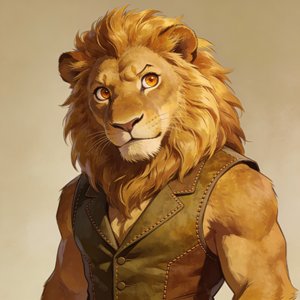
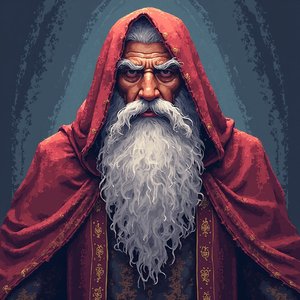
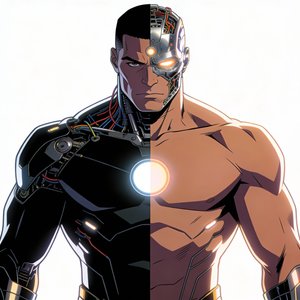
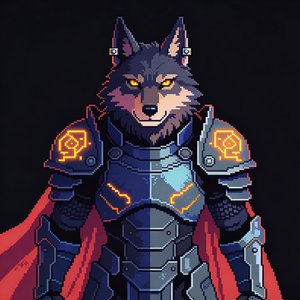
Create the character in BlazeGen: upload existing art, describe a character and let AI generate it, or remix a stock avatar from 25+ style templates. Match the style to the niche: a corporate-realistic look for finance, anime or chibi for gaming and pop culture, claymation or cartoon for kids' education.
Two practical rules:
- Stylized over photoreal for faceless channels. Nobody expects a cartoon host to be a real person, no uncanny valley, no disclosure ambiguity, and it's instantly distinctive in thumbnails.
- Give the character 2-3 looks (outfit/setting variants) so different series on the channel stay visually related but distinguishable.
Step 3: Solve the voice
Three options, in order of how "you" the channel sounds:
- Clone your own voice from a short sample. The channel is faceless but keeps your delivery, the strongest option if you may ever appear on the channel later.
- Pick a preset voice from a library (BlazeGen has 70+ across 80+ languages). Choose once and never change it, voice consistency matters as much as visual consistency.
- Record voiceovers yourself and sync the avatar to the audio. Most work, most control over pacing and emphasis.
Step 4: Build a script system, not individual scripts
Write a reusable structure: hook (15 seconds, state the payoff) → context → 3-5 core points → recap → next-video handoff. Draft with AI assistance if useful, BlazeGen has script generation and polishing built in, but edit every script yourself: the script is the one place viewers detect low effort instantly.
Batch-write. Five scripts in one sitting beats one script on five evenings.
Step 5: Produce the video
In the studio: paste the script (or upload your recorded voiceover, the avatar syncs to it automatically), compose scenes on the canvas with your avatar plus b-roll, images, and captions, then fix pacing by editing the transcript at word level instead of re-generating.
Export landscape 1080p, 2K, or 4K for the main video. Then cut 2-3 vertical Shorts from the same content, export vertical directly, or take avatar-only footage into CapCut for faster short-form editing.
For the full production walkthrough, see the faceless channel workflow.
Step 6: Package for the click
Faceless channels live and die on packaging because there's no personality parasocial pull yet:
- Thumbnails: your avatar's face, large, with a strong emotion + max 4 words. Consistent character = recognizable thumbnails from video one.
- Titles: front-load the keyword, promise a specific payoff ("...in 12 minutes", "...without X").
- First 15 seconds: deliver the hook exactly as the title promised; retention drop-off at 0:30 is what kills faceless channels in the algorithm.
Step 7: Set a cadence you can sustain for 6 months
The realistic budget for one weekly 10-15 minute video: ~3 hours scripting, ~1-2 hours production and packaging. That's a sustainable side-project load, and 120 minutes of monthly video output on BlazeGen Pro yearly covers it with room for Shorts (pricing).
Save your project as a template (avatar + voice + layout locked in), and each new episode starts at the script stage, not the setup stage.
The honest timeline
- Videos 1-10: near-zero views. This is normal; you're building a corpus for search and refining the format.
- Months 2-4: search traffic starts on specific, low-competition topics. Double down on what gets impressions.
- Months 4-8: monetization threshold (1,000 subs / 4,000 watch hours) is realistic for consistent weekly channels in searchable niches.
The single biggest predictor is surviving the boring middle, which is exactly what an automated production pipeline is for.
Comparing tools first? See the honest breakdown of HeyGen alternatives.